How do I choose a healthcare CRM for multi-location clinics?
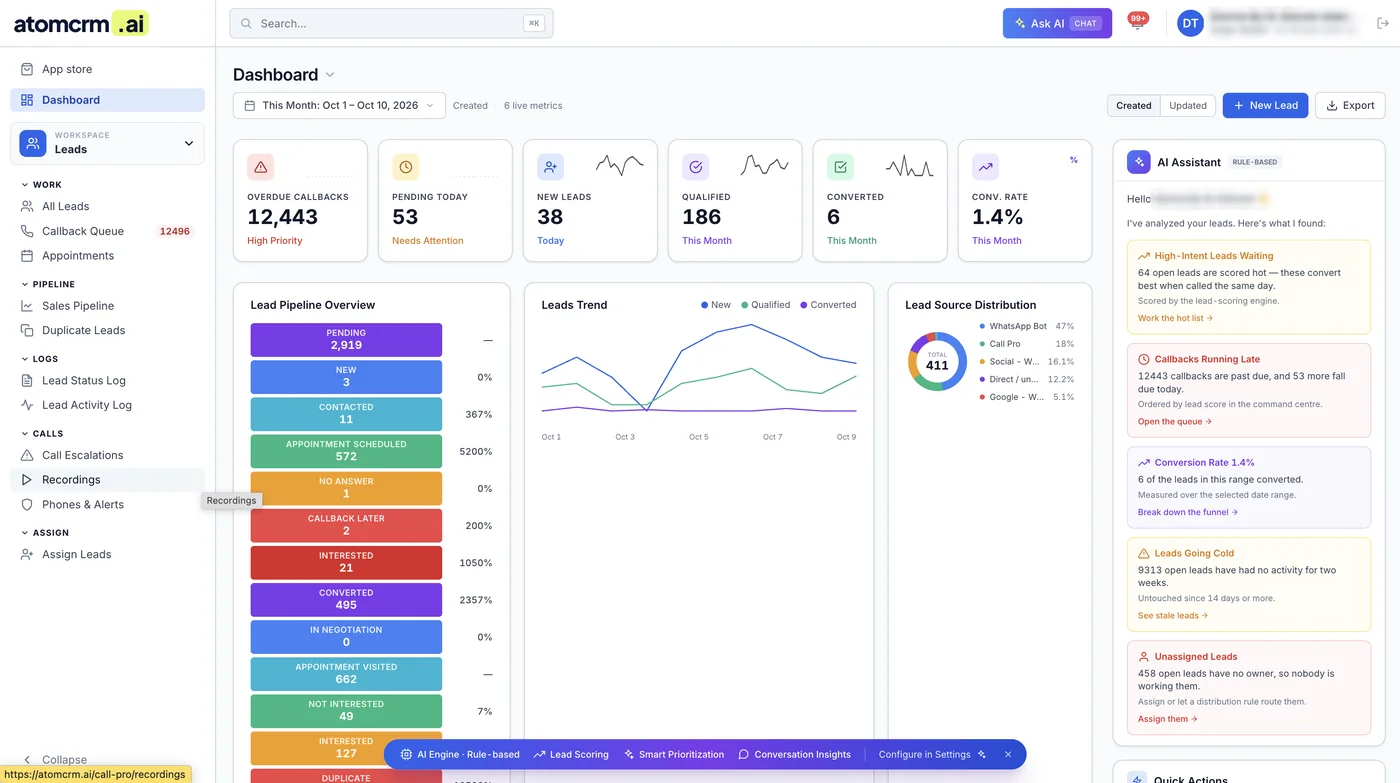
Choose a healthcare CRM for multi-location clinics by checking five things in order: a signed BAA and HIPAA safeguards, routing and permissions by location, integration with your phones and practice management system, consent tracking for calls and texts, and reporting that compares offices. Features matter less than fit with how your offices actually handle enquiries. Map that process first, then test vendors against it.

- No BAA, no deal: a CRM holding patient enquiries handles protected health information.
- Location is a core field, driving routing, permissions and reporting.
- Integration decides adoption: phones, forms, scheduling and practice management system.
- Consent records matter for TCPA-compliant texting and calling.
- Test with your own workflow in a pilot before signing a long contract.
- Every practice welcome — retainers from $499/mo, Goals-Driven engagements, Performance-Linked Payout Models available.
- Dallas, Texas LLC
- US client team · Central Time (CST)
- 25+ US healthcare clients
- BAA signed with every client
- HIPAA compliance training across client and delivery teams
- Contracts and invoices in USD
-
 Primary Care · North Dallas, TXCase study →
-
 MedSpa · North Dallas, TX
-
 Skin Care · Beverly Hills, CA
-
 Dental · Christiansburg, VACase study →
-
 Pediatrics · Blacksburg, VACase study →
-
 Pediatric Dentistry · Blacksburg, VACase study →
-
 Dental · Roanoke, VACase study →
-
 Functional Medicine · Telehealth · USACase study →
“They were able to get all my ideas and work with me over a period of three to four months and create this amazing website. It's super customized, very modern, and it incorporates all the elements that I had wanted — the patient portal, nice pictures, a very interactive website, patient reviews. I would highly recommend their company to anyone who wants to make an excellent website.”
Map your enquiry process before you look at vendors
Many CRM projects fail because the clinic buys software first and figures out the process later. Start by writing down how a new enquiry moves through your offices today. Where do calls, web forms, chats, referrals and texts arrive? Who answers them at each location? Is scheduling done locally or by a central team? When does a lead become a patient in your practice management system or EHR? Where do follow-ups get forgotten?
This map becomes your requirements list. It also shows whether you need a CRM at all, or whether better use of existing tools would solve the problem. For most groups with several offices and a meaningful volume of new-patient enquiries, a CRM pays off by giving every enquiry an owner and a visible status. Our guide to multi-location practice marketing explains how enquiry handling fits into the wider system.
The requirements that matter most
| Requirement | What to check | Why it matters for groups |
|---|---|---|
| BAA and security | Signed Business Associate Agreement, encryption, audit logs, single sign-on, role-based access | Enquiries contain protected health information |
| Location structure | Each record tied to a location; permissions and queues by office | Staff see their own office's leads; managers see all |
| Lead routing | Rules by ZIP code, service or location; round-robin within a team | Enquiries reach the right office fast |
| Phone integration | Calls and call-tracking data logged automatically | Most new-patient demand still arrives by phone |
| Practice management or EHR link | Appointment and new-patient status flow back to the CRM | Shows which leads became patients |
| Consent tracking | Records of text and call consent, opt-outs honored across locations | Supports TCPA compliance |
| Reporting | Funnel by location and source, response times, booking rates | Compares offices on common definitions |
Rank these for your group. A two-office practice with central scheduling may care most about phone integration. A twenty-office group may care most about routing, permissions and reporting. Separate true must-haves from nice-to-haves, so a long feature list does not distract from the few things your offices will use every day.
HIPAA and TCPA points to check
A CRM that stores names, contact details and reasons for an enquiry on behalf of a covered practice is a business associate under HIPAA. The vendor should sign a BAA before any patient data is loaded. Ask how data is encrypted, where it is hosted, how access is logged and how data is returned or deleted if you leave. Check that staff logins are individual, that access can be limited by role and location, and that former staff can be removed quickly. Our guide to HIPAA compliance for multi-location practices covers access and vendor management.
If you plan to text or call enquiries for marketing, the Telephone Consumer Protection Act applies. Marketing texts and autodialed calls generally require prior express written consent, and opt-outs must be honored promptly. In a group, an opt-out at one location should apply across the organization where the same brand is sending messages. Make sure the CRM records how and when consent was given. Our TCPA healthcare SMS guide explains the basics. Confirm details with counsel.
Integration decides whether staff use it
A CRM that staff must update by hand will drift out of date within weeks. Ask each vendor to show, not describe, how calls appear in a record, how web forms arrive, how appointment status comes back from your practice management system and how texts are logged. Ask whether integrations are built in or need custom work, and who maintains them when either system changes.
Be careful with marketing integrations too. Sending CRM conversion data back to ad platforms can improve campaigns, but the data must not reveal health information about individuals. Our guide to HIPAA-safe website tracking covers how practices approach this.
Running a fair selection
Shortlist a few vendors that meet your must-have requirements, including the BAA. Give each the same set of real scenarios: a missed call at one office, a web form for a service only offered at another, a referral from a physician, a patient who opts out of texts. Watch how each system handles them. Ask for references from healthcare groups of a similar size and structure, and ask those references what went wrong during rollout, not just what went well.
Then run a pilot at one or two offices before a full rollout. Measure response time, booking rate and staff adoption against the baseline from your process map. Negotiate contract terms that let you export your data in a usable format, and avoid long commitments until the pilot proves the fit. Plan training for every location, and name one owner for the CRM at group level.
Look at the full cost, not just the license price. Pricing models vary: per user, per location, per contact or per message sent. Add setup and integration work, data migration from spreadsheets or older systems, training time for every office and the internal hours needed to maintain routing rules and reports. A cheaper license with heavy custom work can cost more over a few years than a higher license that fits out of the box.
Finally, plan the data migration carefully. Old enquiry lists often contain duplicates, outdated contact details and no consent records. Clean them before import, and do not text or call old contacts for marketing unless you have valid consent on file.
Related pages from the US team
Multi-location practice marketing
How enquiry handling fits into group marketing.
HIPAA for multi-location practices
Access, training and vendor rules across offices.
TCPA and healthcare texting
Consent rules before you text enquiries.
Software for US healthcare practices
Tools Ichelon Consulting US offers to US practices.
Every practice welcome — Goals-Driven engagements from $499/mo
We benchmark your last 90 days, agree monthly goals with you, and track them live on Ichelon Agency OS with a report every Monday. Performance-Linked Payout Models are available. Our US leadership is based in Dallas, and strategy calls run in US business hours.
Common questions
What should a CRM for multi-location clinics include?
It should include a signed BAA and HIPAA safeguards, location-based routing and permissions, integration with phones and the practice management system, consent tracking for texts and calls, and reporting that compares offices on common definitions.
Does a healthcare CRM need a BAA?
Yes, if it stores protected health information for a covered practice, such as names linked to the reason for an enquiry. The vendor is then a business associate and should sign a Business Associate Agreement before any patient data is loaded.
How does a CRM help multi-location practices?
It gives every enquiry an owner and a visible status across offices, routes leads to the right location, records follow-up attempts and shows which sources and offices turn enquiries into patients. That makes leaks and weak offices visible.
Should the CRM connect to our EHR or practice management system?
Ideally yes. Without that link, the CRM cannot see which enquiries became appointments and patients, so reporting stops at the lead stage. Ask vendors to demonstrate the integration with your specific system before you buy.
How long should a CRM pilot run?
Long enough to cover normal busy and quiet periods, often one to three months at one or two offices. Measure response time, booking rate and staff adoption against your baseline before rolling out to every location.
A note on this guide: it explains marketing practice, not legal advice. Rules on privacy, advertising and insurance change and vary by state, so confirm anything compliance-related with your own counsel.
Choosing a CRM for several clinics?
A 30-minute call with the US team. We'll map how enquiries move through your offices today and help you turn that into a short list of CRM requirements.
Lead quality and management in the nine-stage patient journey
- 0Foundations
- 1Demand gen
- 2Capture
- 3Lead quality
- 4Lead mgmt
- 5Scheduling
- 6Show-up
- 7Conversion
- 8Retention
It works after the enquiry, where most growth leaks: screening every lead and making sure each one is followed up. Our own software runs the work, and every stage is reported against a monthly target on Ichelon Agency OS.
See all nine stages and the tool behind each one →